
SkinFlow™, Click&Clean™, SharpFlow™: understanding your shaver
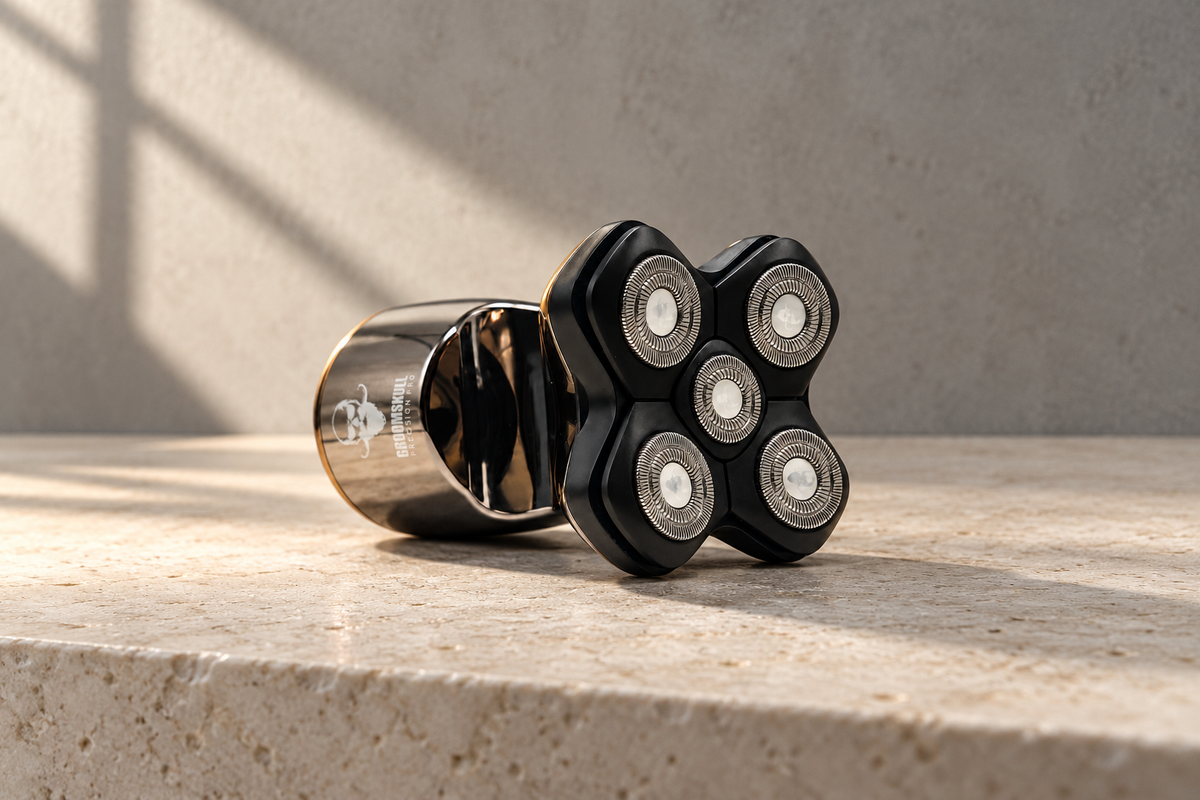
You have chosen the shaved-head look. It makes sense to understand the tool that helps you keep it sharp. Beneath the Precision Pro 2’s shaving foils, each technology has a role: driving the blades, following the contours, protecting the skin, maintaining the cutting edge and making cleaning easier.
Here is how the motor, SkinFlow™, SharpFlow™ and Click&Clean™ work together, and how to get the most from them every day.
The 10,000 rpm motor: what sets the blades in motion
The Precision Pro 2’s motor runs at 10,000 revolutions per minute, driving the cutting elements beneath the foils. Hair that passes through the openings in the foils is cut by the moving blades underneath.
This figure describes the motor’s speed. Your shaving technique also depends on how the head follows your scalp and on the condition of the foils and blades. Guide the shaver; there is no need to press down to “help” the motor.
How to use it: make light circular movements over short regrowth. If your hair has grown longer, shorten it first with a suitable trimmer attachment, then shave.
SkinFlow™: a close shave that follows your head’s contours
The crown, the back of your head and the hollows around your ears all have different contours. SkinFlow™ combines independently moving shaving elements with extra-fine foils that separate your skin from the blades.

1. The protective foilHair passes through its openings. The blade stays underneath, separated from your skin.
2. The mobile shaving elementEach element follows the contours independently. Guide the head with a light touch.
Shaving heads that follow the contours
Each element can follow the curves, hollows and rounded areas of your head. This movement lets the shaving head adapt to the surface as you move the shaver, rather than requiring you to hold it at the same angle everywhere.
The SkinFlow™ 5-blade and 7-blade versions have five or seven circular shaving elements. Both use this principle of independent movement and are compatible with the Precision Pro 2. The number of elements does not change the advice: keep your touch light.
Foils between your skin and the blades
The foils are the round surfaces visible on top of each shaving element. Their openings let hair reach the blades beneath them. You get a close shave with a protective barrier between the cutting edge and your scalp.
How to use it: let the heads follow the contours without pressing the foils into your skin. Check their condition before use: a bent or damaged foil must be replaced.
SharpFlow™: self-sharpening as you shave
SharpFlow™ concerns the Japanese steel blades and the maintenance of their cutting edges. As the shaver runs, the blades’ contact with the foils provides the self-sharpening action. The foils therefore have two roles: protecting the skin and helping maintain the cutting edges.

1. The foil, on the skin sideIt lets hair through and separates the skin from the cutting edge.

2. The blade, underneathDriven by the motor, it cuts hair beneath the foil.
The distinction is simple: the motor drives, SkinFlow™ follows and protects, and SharpFlow™ maintains the cutting edge. These functions complement one another.
How to care for it: clean the head regularly and replace it every 2 to 3 months on average, depending on your use and its condition. Self-sharpening happens during use; it does not make the blades last forever. If the shave becomes less even, check that the head is clean and in good condition rather than pressing harder.
Click&Clean™: hair collected inside the head, cleaning when it suits you
During shaving, the head collects the cut hair inside it. For a dry touch-up, at home or elsewhere, you can empty the head straight away or clean it later. After wet shaving or shaving with foam, rinse it after use.
Click&Clean™ refers to the magnetic opening of the upper blade block on SkinFlow™ 5-blade and 7-blade heads. It gives you access to the inside to remove hair and rinse the parts. There is no need to take apart every blade for routine cleaning.


Routine cleaning in four steps
- Switch off and unplug the shaver.
- Open the magnetic upper blade block. Leave the central screw in place.
- Empty, then rinse. Remove the collected hair and rinse the accessible parts of the head.
- Leave to air-dry. Close the head and put the shaver away once the parts are dry.
Opening the head for cleaning and removing the complete head are two different actions. To replace the head, grip the assembly by its base and pull it straight off, without twisting or unscrewing. Do not pull on the foils.
The manual explains how to deep-clean the inside of the SkinFlow™ 5-blade head. Do not apply this disassembly procedure to the SkinFlow™ 7-blade head. To see exactly which parts to handle, consult the illustrated SkinFlow™ care guide.
Wet & Dry and IPX6: a dry shave or a shave in the shower
A touch-up before going out, a shave in front of the mirror or a moment in the shower: the Precision Pro 2 can be used wet or dry, with or without foam. Wet & Dry describes this flexibility.
IPX6 describes its water resistance. This rating helps explain its use around water, but does not mean the shaver’s body can be immersed. In the shower, use the shaver on battery power only, with the cable unplugged. Do not immerse the body in a basin or bath.
How to care for it: after a wet shave, clean the head and leave the parts to dry. Before charging, make sure the shaver and its charging port are dry.
The display: check before you head out
The Precision Pro 2 provides up to 90 minutes of runtime, depending on use. The number on the digital display is an estimate of the minutes remaining, not a battery percentage. You can check whether it is time to recharge before putting the shaver in your bag.
- FULL: charging is complete, with an estimated 90 minutes of runtime.
- The padlock: the travel lock is on.
- The tap: a cleaning reminder.
- The tap with an exclamation mark: switch off the shaver and check the guide’s care instructions before using it again.
For charging instructions and good battery habits, see the Precision Pro 2 battery guide.
Understand your shaver, then find your technique
The technologies do their part. Yours comes down to a few simple habits: short regrowth, a light touch, a clean head and foils in good condition. Everything you need to maintain the shaved-head look you enjoy wearing.
See the techniques and illustrated manuals · Find your replacement head